andrum

Make room for the voice.

Andrum turns the music down only where it covers the voice, and only while the voice is there. The mix stays full and the words come through.

14 days free with every feature. Audio Unit and VST3 for Mac.

Andrum measures the voice in this demo as about 41 % clear without Andrum and 84 % clear with it.

Andrum's own picture of the demo, drawn live from what it measured: the music in grey, the voice in white, and in violet the room Andrum makes. Press play and switch Andrum off and on.

One dial, and the proof beside it.

Turn the dial to how clear the voice should be. Andrum makes the smallest cut that gets it there, and shows you how clear the voice is with Andrum and without it.

Andrum's window, running on the same demo. Press play to hear it in step.

  1. Put Andrum on the music.

    A pad, the guitars, a beat, the music bed under a film: whatever should make room.

  2. Let it hear the voice.

    In a DAW, send the vocal to Andrum's sidechain; Andrum explains how in your DAW's own words. In Premiere Pro, Resolve or Final Cut Pro, put Andrum on the dialogue too and click This is the dialogue.

  3. Choose how clear the voice should be.

    80 % is a good start. Andrum makes the smallest cut that gets there, and tells you when it can't.

Only where the music hides the voice.

Every five milliseconds Andrum compares the voice with the music in 61 narrow bands. It works out how much of the voice the music masks, the way your ear would, and turns down only the bands where a cut brings the voice back.

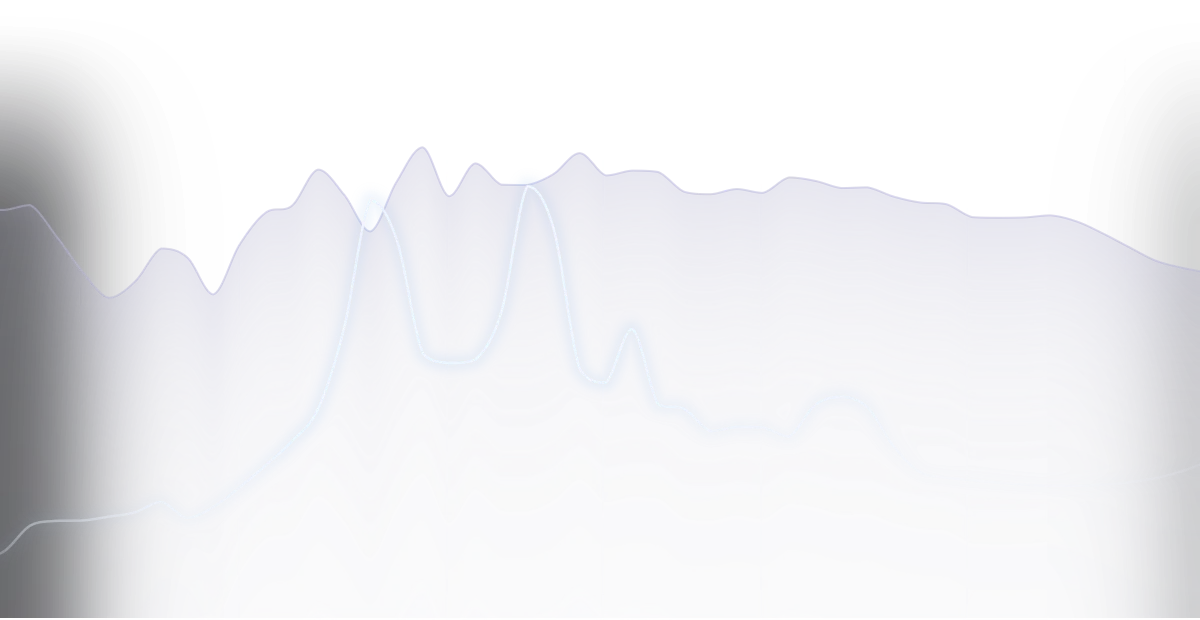
One moment of the demo without Andrum: the voice's white line runs into the grey of the music.
Without AndrumThe voice runs into the music. Where its line meets the grey, the music masks it.
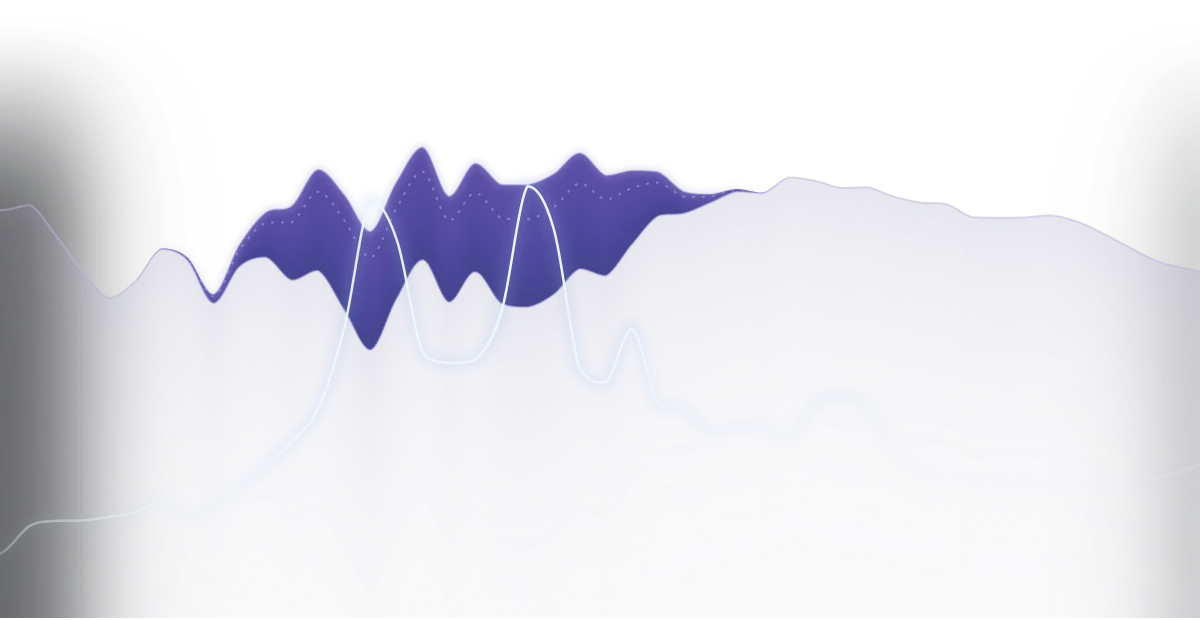
The same moment with Andrum: the music steps down in violet where it hid the voice, and the voice's line stands clear above it.
With AndrumThe music steps down where it hid the voice, 17 dB at the deepest here, and everything else stays as it was.

Across the whole demo, Andrum hears the voice 41 % clear without it, and 84 % clear with it.

A model of the ear

The voice and the music are spread across the ear's critical bands, as masking spreads in the ear, and compared band by band: masked when the voice is 6 dB under the music, clear at 9 dB over. The bands where the voice carries most count most.

Only where a cut can help

Where the voice is buried too deep for any cut you allow to bring it back, Andrum leaves the music alone. Cutting there would cost the music and give the voice nothing.

At zero latency

61 filters a sixth of an octave apart, solved every 5 ms and gliding sample by sample. No delay for your DAW to make up for, and every cut lands within 0.64 dB of where Andrum means it.

Ask for clarity, not decibels.

A ducker cuts as deep as you set it, every time the voice comes in, whether the voice needs it or not. Andrum asks how clear the voice should be and cuts only what it takes. When the voice already comes through, the music is left alone.

How deep the music is cut and how clear the voice ends up, as the voice moves from 6 dB under the music to 12 dB over it
The voice over the musicDucker: cutDucker: clarityAndrum at 80 %: cutAndrum at 80 %: clarityClarity with neither
−6 dB10.8 dB87 %9.5 dB86 %35 %
−3 dB11.2 dB91 %8.9 dB88 %52 %
0 dB11.4 dB93 %6.8 dB88 %66 %
+3 dB11.6 dB94 %4.8 dB89 %78 %
+6 dB11.7 dB96 %2.7 dB90 %85 %
+9 dB11.8 dB98 %0.8 dB91 %90 %
+12 dB11.9 dB99 %0.0 dB93 %93 %

Measured with Andrum's own engine: a sung voice over pink noise, from 6 dB under the music to 12 dB over it, with the ducker being Andrum's Duck mode. Same test as in Andrum's test suite.

Measured, not claimed.

Every number here comes from Andrum's own test suite, run on the same engine you download.

Latency
0samples
Nothing for your DAW to make up for. Up to 30 ms of lookahead when you want it.
Resolution
61bands
A sixth of an octave apart, from 20 Hz to 20.5 kHz.
Precision
0.64dB
The most a cut strays from the one Andrum means to make, anywhere in the spectrum.
Transparency
Bit-exact
With no voice to make room for, the music comes out exactly as it went in.
Clean Key
2.4dB
What's left of a 12 dB cut at 6.4 kHz while the singer says “s”. The vowels keep all 12.
Auto sensitivity
12.0/12.0dB
The same room for a voice at −12 and at −42 dBFS, with no threshold to set. A fixed threshold gives 12.0 and 2.8.
Only where it helps
0.0dB
Cut where the voice is 30 dB under the music, out of reach. Where it's 6 dB under, the full 12 dB.
Ghost Key
−3.5ms
The bass makes room before the kick lands, with no routing and no latency.

How it compares.

Every tool here can turn the music down for a voice. They differ in what they listen for, and in what they leave alone.

Question Sidechain compressor Dynamic EQ Spectral ducker Andrum
What gets turned down The whole track The few bands you set up by hand Wherever the voice has energy Only where the music masks the voice, in 61 bands
What you set Threshold and ratio Frequency, threshold and depth, band by band How deep to cut How clear the voice should be
When the voice already comes through Turns down anyway Cuts anyway Cuts anyway Leaves the music alone
Esses, breaths and reverb tails Trigger it Trigger it Trigger it Can be left out, so the music doesn't flutter
In a video editor Needs a sidechain the editor can't send Needs a sidechain the editor can't send Needs a sidechain the editor can't send Links to the dialogue, no routing
What it shows you Gain reduction Each band's gain The cut The cut, and how clear the voice is with and without it

Compared by how each kind of tool works, not against any one product.

For songs and for picture.

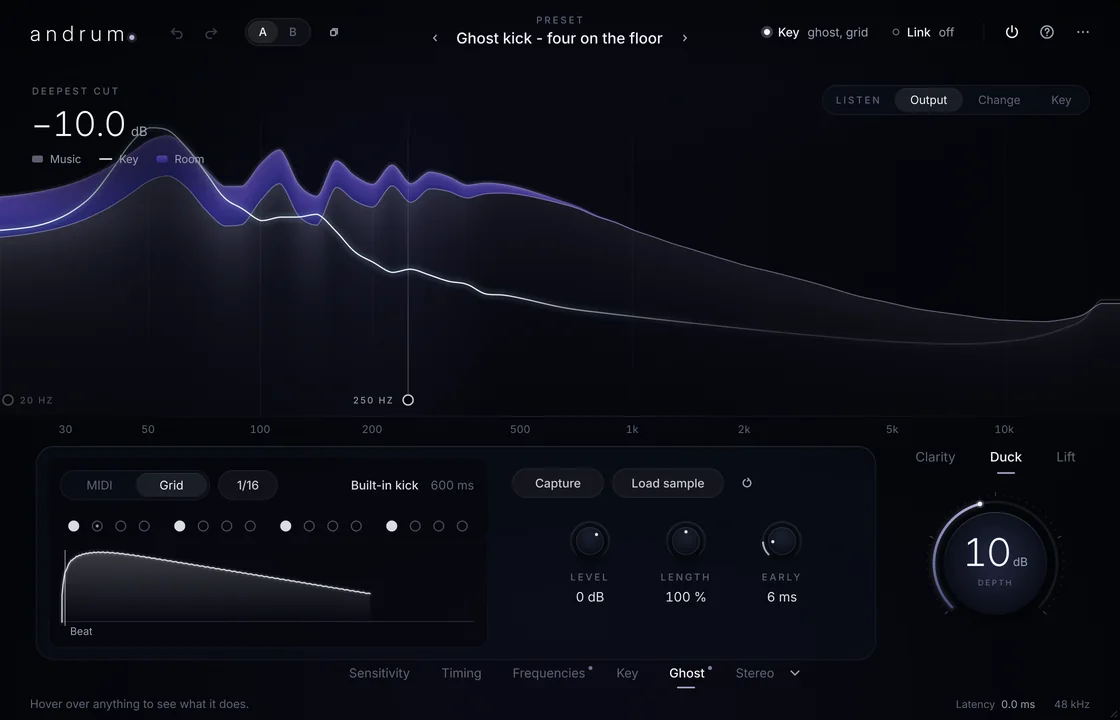
Andrum on a bass, making room for a kick on every beat. Violet shows the low end giving way, and the Ghost Key pattern is open below.

In your DAW

Vocals over pads and walls of guitars. Rap over a dense beat. A kick that punches through the bass, with Ghost Key making room on the beat and no routing at all. Reverb that steps back under the words and blooms in the gaps.

Logic Pro, Ableton Live, FL Studio, Cubase, Studio One, Bitwig Studio, Reaper and GarageBand.
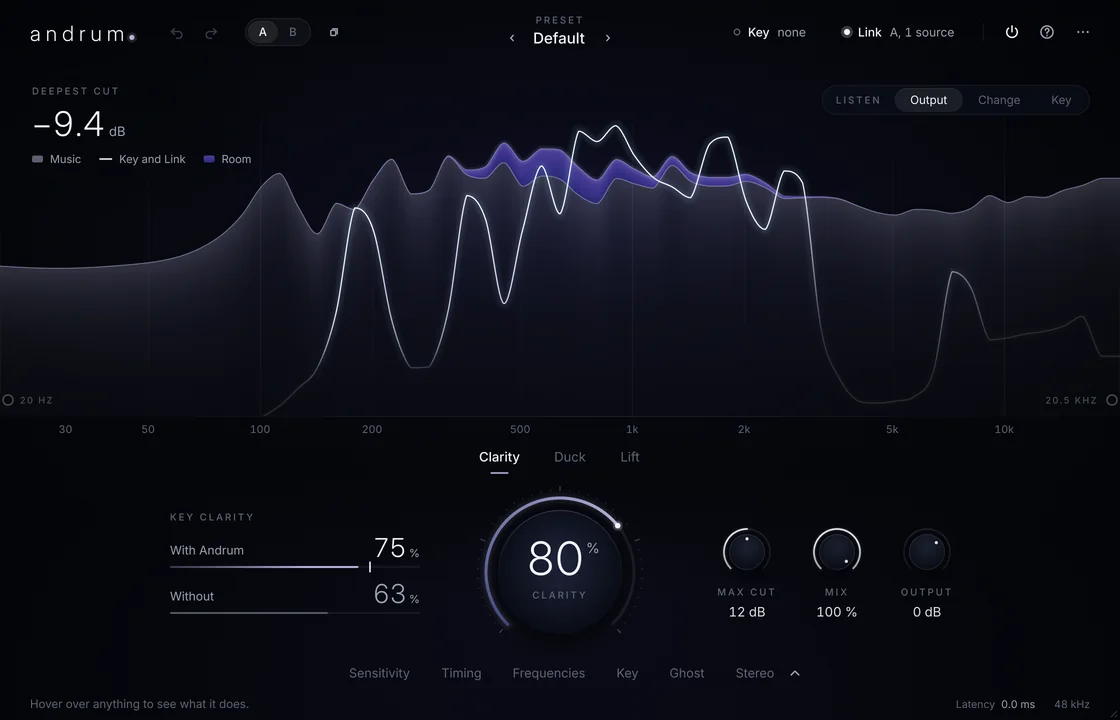
Andrum on a music track in a video editor, linked to the dialogue. Violet shows where the music gives way to the dialogue's white line.

In your video editor

Dialogue over a music bed, without drawing a single volume curve. Video editors can't send a sidechain to a plug-in, so Andrum links two copies of itself instead: one on the dialogue, one on the music. The music makes room in playback and in the export.

Premiere Pro, DaVinci Resolve and Final Cut Pro.

Try it free. Buy it once.

€59One licence, no subscription

The trial runs for 14 days from the first time you use Andrum, with every feature. After that, Andrum lets the sound through untouched until you add a licence, so your sessions still open.

  • Every feature, as an Audio Unit, a VST3 and a standalone app
  • For one person, on up to two Macs: say a studio Mac and a laptop
  • Every 1.x update included
  • Use it in any work, commercial and broadcast included
  • No iLok and no account: your licence is checked on your Mac, and Andrum never goes online
  • Apple Silicon and Intel, macOS 11 or later

Questions

Something else? Write to david@nakaya.world.

What does the clarity percentage mean?

How much of the voice a listener can make out over the music, as Andrum's model of the ear measures it: 0 % is fully masked, 100 % fully clear. You choose the clarity you want on the dial, and Andrum shows what it reached with and without its cut.

Does Andrum change the voice?

No. Andrum only changes the track it's on. The voice it listens to passes through untouched.

Which apps does it work in?

Logic Pro, Ableton Live, FL Studio, Cubase, Studio One, Bitwig Studio, Reaper and GarageBand, and the video editors Premiere Pro, DaVinci Resolve and Final Cut Pro. Andrum comes as an Audio Unit and a VST3, plus a standalone app, and shows up in your plug-in list under David HJ Lindberg.

Does it work in Pro Tools?

Not yet. Pro Tools only loads AAX plug-ins, and Andrum isn't available as AAX yet.

Is there a Windows version?

Not yet. Andrum is for Mac today.

Does it add latency?

No, Andrum runs at zero latency. For a kick and a bass you can give it up to 30 ms of lookahead, which your DAW compensates for.

Is it heavy on my Mac?

No. With every feature on, Andrum runs about ten times faster than real time on one core of our test machine, and an instance whose inputs fall silent rests until they play again.

Is it only for vocals?

No. Anything can make room for anything: a kick through a bass, a snare through synths, a lead over chords, reverb and delay that step back under a vocal. There are 23 presets to start from.

What happens when the trial ends?

Andrum lets the sound through untouched until you add a licence. Nothing in your sessions breaks, and once you add a licence it works exactly as before.

Can I use it on more than one computer?

Yes. One licence covers one person on up to two Macs. When you get a new Mac, remove the licence from the old one in Andrum and add it on the new one.

Does it need the internet or an iLok?

No. Your licence is a short piece of text that Andrum checks on your Mac. Andrum never connects to the internet.

Hear it in your own mix.

Download Andrum and use every feature free for 14 days.